WhatsApp Sticker Pack
Turn a photo of someone into a full set of WhatsApp stickers.

One selfie, nothing else
- Crying laughing

- Heart eyes

- Star struck

- Mind blown

- Partying

- Determined

- Woozy

- Mischief
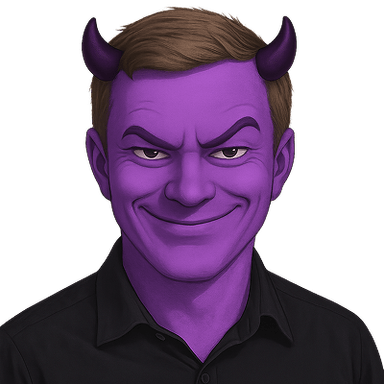
- Innocent

- Clown

- Pog

- Think smart

- Success

- Sipping tea

- One does not simply

- Cheers

- Tell me more

One photo in, a whole matched set out. Every emote is the same person, so the set reads as a set.
Why a set beats one-off stickers
The stickers people actually send are of people they know. A single sticker gets used once; a matched set of the same face covers enough reactions that it becomes the default way your group chat replies.
WhatsApp sticker packs hold up to 30 stickers, so a set of seventeen fills more than half a pack in one go. The 512 pixel transparent files WhatsApp wants are already in the pack's stickers folder.
The stickers WhatsApp users reach for most
- Crying laughing
- Heart eyes
- Partying
- Woozy
- Clown
- Success
Every pack includes all 17 expressions, not just these. See the full set.
Sized for WhatsApp
WhatsApp stickers are 512×512 px, transparent PNG (WebP for sticker packs). The ZIP contains a stickers folder already at that size, plus 1024px masters.
- 1Generate and download your emoji as a transparent PNG.
- 2Open WhatsApp, tap the sticker icon → ‘+’ → Create.
- 3Add your image, crop if needed, and save it to a sticker pack.
- 4Send it in any chat or group.
What it would cost otherwise
The alternative is cutting out photos by hand in a sticker maker app, one at a time, with results that never match each other.
- 17 matching stickers of the same face
- Sized and compressed for WhatsApp
- Transparent PNGs, delivered as a ZIP
- Yours to use commercially
- Full refund if any sticker fails
$4.99 for 17 stickers
One photo. Sized for WhatsApp and delivered as a ZIP.
Make your sticker packOne-time payment. Full refund if any sticker fails to generate.
WhatsApp sticker pack questions
What size are WhatsApp stickers?
512x512 pixels with a transparent background, which is exactly what the pack's stickers folder contains.
How do I make them into a sticker pack?
Open WhatsApp, tap the sticker icon, then the plus button, and create a pack from the images. On some versions you will need a sticker maker app to assemble the pack.
Do I need permission to make stickers of someone?
Ask them first. Stickers of a friend are a great gift and a lousy surprise.